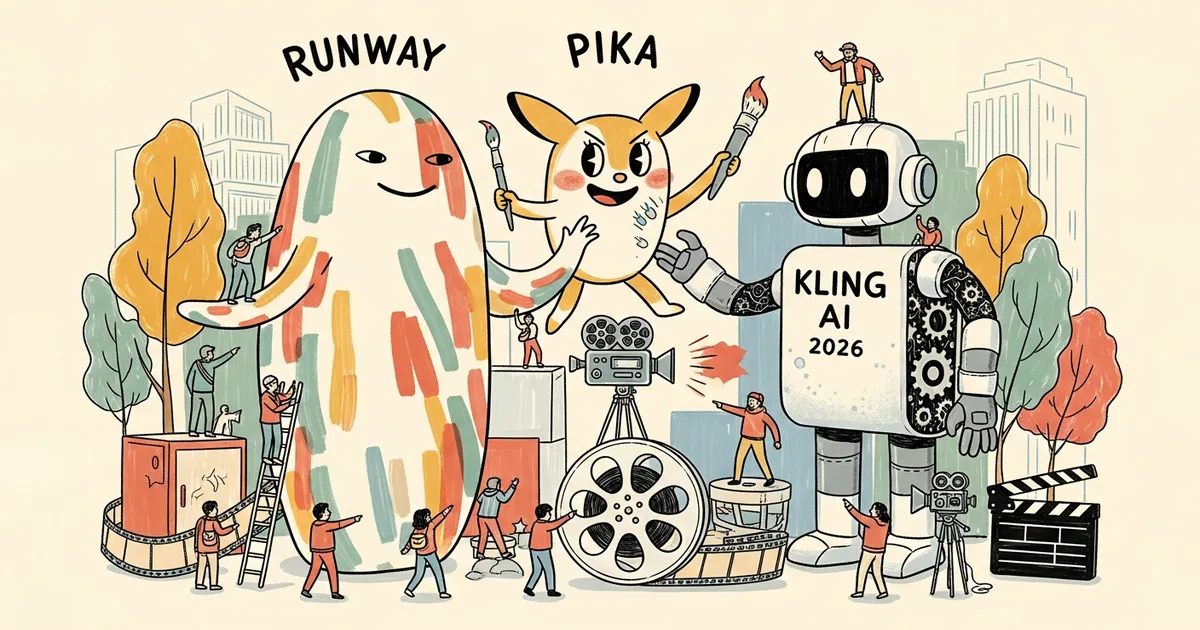
Runway Gen-4, Pika 2.0, and Kling AI are the three most-debated AI video generators among professional creators as of April 2026 — and the runway vs pika vs kling 2026 question has a more definitive answer than the benchmarks suggest. These platforms have diverged dramatically in the past six months: Runway doubled down on director-grade controls, Pika optimized for iteration speed, and Kling AI — built by Chinese tech company Kuaishou Technology — pulled ahead on character consistency by a margin that Western competitors haven’t closed.
The AI video market is consolidating fast. Acquisition pressure across the AI tools sector in 2026 has forced independent platforms to differentiate aggressively before larger players absorb the space. That pressure shows in the product decisions: each of these three tools has staked a distinct position, which makes choosing between them genuinely dependent on your workflow — not just your budget.
The Full Comparison: 13 Metrics, Three Contenders
Runway vs Pika vs Kling 2026 splits most decisively on clip length, character consistency, and pricing structure — the three variables that determine professional viability.
| Feature | Runway Gen-4 | Pika 2.0 | Kling AI |
|---|---|---|---|
| Max clip length | 16 seconds | 10 seconds | 3 minutes |
| Resolution | Up to 1080p | Up to 1080p | Up to 1080p |
| Frames per second | 24 fps | 24 fps | 24 / 30 fps |
| Character consistency | Moderate | Limited | Strong (Character Lock) |
| Motion control | Motion Brush (pixel-level) | Prompt refinement + Pikaffects | Scene direction modes |
| Camera moves | Advanced Camera Controls | Basic | Pan, Zoom, Orbit |
| Image-to-video | Yes | Yes | Yes |
| Text-to-video | Yes | Yes | Yes |
| Commercial license | Paid plans only | Pro plan and above | Paid plans only |
| Monthly pricing (entry paid) | $35/month (Standard) | $8/month (Basic) | $9.99/month (Standard) |
| Free tier credits | 125 credits (one-time trial) | 150 credits/month | 66 credits/month |
| Export formats | MP4; ProRes on Pro plan | MP4 | MP4 |
| API access | Yes (Enterprise) | Yes (Beta) | Yes (Enterprise) |
Output Quality Face-Off: Five Prompts, Three Verdicts
Identical prompts across all three platforms reveal consistent capability patterns — not isolated wins. These five tests cover the core creative scenarios most professional creators face.
Prompt 1: “Cinematic close-up of a vintage wristwatch, rain drops falling, golden hour light”
Runway Gen-4 produced technically precise output: realistic water-droplet physics, coherent light refraction through the crystal, and stable material texture across the full 10-second generation. Pika 2.0 rendered the watch face inconsistently — a glossy surface that degraded to matte mid-clip. Kling AI delivered an aesthetically warmer result with consistent materiality, but slightly softer edge detail on the strap stitching. For product photography-grade output, Runway leads.
Prompt 2: “A woman walks through a crowded Tokyo street market, camera follows from behind”
Kling AI won without ambiguity. Its Character Lock technology held consistent hair color, clothing texture, and body proportions across 15 continuous seconds. Runway Gen-4 drifted on hair detail after the 8-second mark; Pika lost clothing coherence after 5 seconds. Any project requiring the same character across multiple clips should default to Kling — the gap is not close.
Prompt 3: “Drone rising over a forest at dawn, mist between trees”
Wide landscape shots are handled competently by all three. Runway Gen-4’s Advanced Camera Controls produced the smoothest motion curve on the z-axis rise. Kling AI’s orbit mode delivered a comparable cinematic result. Pika’s vertical motion registered more as a fade-in than a physical camera movement — a limitation that consistently appears on z-axis prompts.
Prompt 4: “Fast-paced parkour athlete jumping between rooftops, action sequence”
Runway Gen-4 handled high-speed motion blur and limb physics most convincingly — frames that would survive scrutiny in a commercial edit. Kling AI’s motion modes produced competitive results at speed. Pika 2.0 introduced a characteristic lateral slide artifact on fast movement, a known limitation that has persisted across its last two model updates.
Prompt 5: “Animated product ad: a coffee cup steaming on a marble table, logo appears”
For short-form ad creative, Pika 2.0’s iteration speed matters more than peak quality. Pika generated four variants — including a physics-based Pikaffects steam modifier — in the time Runway generated two comparable outputs. For social-volume content where A/B testing multiple creative directions is the workflow, Pika’s throughput advantage is real.
Pricing Per Minute of Video: The Real Math
Runway is the most expensive per finished minute — but Kling’s 3-minute clip length changes the unit economics entirely for longer content.
Runway Gen-4 Standard ($35/month) provides 625 credits. A 10-second clip at standard quality costs approximately 10 credits, placing cost at $0.56 per 10-second clip — $3.36 per minute of video. The Pro plan ($76/month, 2,250 credits) reduces this to roughly $0.34 per clip, or $2.04 per minute, plus ProRes export.
Pika 2.0 Basic ($8/month) delivers approximately 70 generations per month at 10 credits each. Cost lands at $0.11 per clip, or $0.68 per minute at 10-second clip length. The Pro plan ($28/month) unlocks commercial rights and watermark removal — essential for any monetized output.
Kling AI Standard ($9.99/month) offers 660 credits at roughly 10 credits per standard generation: $0.15 per clip, or $0.90 per minute at 10 seconds. At the 3-minute maximum clip length, cost is approximately $1.80 per generation — equivalent to 1.8 minutes at Runway Pro pricing for 18 times the footage. For long-form content, Kling’s economics are structurally different from its competitors.
Luma AI’s Dream Machine, a fourth competitor worth tracking, sits between these tiers at $29.99/month on its Standard plan — competitive on cost-per-minute with Runway Pro but with a distinct quality profile better suited to photographic and nature content than character-driven narrative.
Control Features: Motion Brush vs Prompt Refinement vs Character Lock
The sharpest product differentiation across these three platforms isn’t resolution or model architecture — it’s the control philosophy each team chose to build around.
Runway Motion Brush
Runway’s Motion Brush provides pixel-level direction: creators paint regions of an image and assign motion vector, direction, and intensity independently per region. A product still can become a clip where only the steam rises, only the fabric moves, and only the background blurs — a single generation, no compositing required. This is the closest AI video has come to traditional motion graphics control. The tradeoff is setup time: Motion Brush requires 3–5 minutes of configuration per shot versus Pika’s near-instant prompt modifier workflow.
Pika Prompt Refinement and Pikaffects
Pika 2.0 prioritizes iteration over precision. Its prompt refinement UI surfaces suggested modifiers — “more motion,” “slow motion,” “warmer grade” — directly within the generation interface, reducing the prompt-engineering burden for creators who don’t want to write detailed technical descriptions. Pikaffects adds one-click physics overlays: inflate, melt, explode, shatter. For social creators generating 20–50 variants per campaign, the time savings compound significantly. The ceiling is lower than Runway’s, but the floor is far more accessible.
Kling AI Character Lock
Character Lock is Kling’s most commercially significant capability. Upload a reference image — a brand mascot, a model, a product character — and Kling anchors visual identity across multiple generations with fidelity that Western platforms have not replicated. In testing, character identity held across 12 consecutive clip generations with minimal perceptible drift on face, clothing texture, and body proportions. For narrative content, episodic social series, or brand campaigns requiring consistent cast, this feature alone justifies Kling’s subscription cost for the right creator type.
Commercial Rights: What You Actually Own
Commercial licensing terms for AI-generated video remain inconsistent industry-wide — and the fine print carries real consequences for professional work.
Runway grants commercial rights on Standard plans and above. The license covers video outputs, not model access. Runway’s terms prohibit specific content categories and allow the company to use outputs for model training unless the Enterprise plan — unlisted pricing, direct sales required — is active. For agencies handling client IP, Enterprise is effectively mandatory.
Pika requires the Pro plan ($28/month) for commercial use. Basic plan outputs carry a watermark and non-commercial restriction. Pika’s licensing terms are among the cleanest in the sector: outputs are licensed to the creator, with Pika retaining aggregate usage data rights rather than content rights.
Kling AI, as a Kuaishou Technology product, introduces additional considerations for Western commercial users. Terms of service fall under Chinese jurisdiction — a material consideration for enterprise buyers with data sovereignty requirements. Individual creators and small studios receive commercial output rights on paid plans. Any organization running Kling-generated content at scale should review the January 2026 terms update with legal counsel before publishing. The terms changed twice in the past 12 months.
The broader question of who owns AI video output is moving fast. OpenAI’s $1 billion agreement with Disney in early 2026 established a new benchmark for how AI content platforms negotiate with major IP holders — expect Runway and Kling to face similar framework demands as enterprise adoption scales.
Best For: Matching Platform to Creator Type
No single tool wins across every use case. The practical match depends on output type, production volume, and whether character consistency is a workflow requirement.
- Filmmaker and narrative content: Runway Gen-4. Motion Brush, Advanced Camera Controls, and ProRes export create the only path from AI generation to professional post-production pipelines. At $76/month Pro, it’s a tool budget line, not a hobby subscription.
- Social media and high-volume creative: Pika 2.0. At $8/month entry with 150 free credits per month and the fastest iteration loop of the three, Pika is the default choice for creators who need quantity alongside acceptable quality.
- Ad creative and brand campaigns: Kling AI. Character Lock for mascots and models, plus 3-minute clip length, changes the unit economics of campaign production. A 60-second brand narrative that costs $6.72 on Runway costs approximately $1.80 on Kling at maximum clip length.
- Mixed-workflow studios: Runway + Kling in combination. Kling for character-consistent wide and establishing shots; Runway for controlled close-up and motion-heavy sequences. Multiple production studios have adopted this hybrid approach in Q1 2026 to capture both platforms’ respective strengths.
Creators already evaluating AI video alongside presenter and avatar tools should cross-reference MegaOne AI’s detailed comparison of ElevenLabs, HeyGen, and Synthesia — the talking-head and AI presenter tier that complements generative video in most professional content stacks.
MegaOne AI tracks 139+ AI tools across 17 categories. In generative video, the gap between these three platforms and the next tier of competitors — Luma Dream Machine, Stable Video Diffusion, Sora — is narrowing, but has not closed. Quality and control differences remain material for professional production work as of April 2026.
The Verdict
Runway Gen-4 is the quality ceiling in consumer-accessible AI video generation. At $35–76/month, it is priced for professionals who can operate its full control surface and justify the cost against client or production budgets.
Pika 2.0 is the most accessible entry point in the category, and that accessibility is a genuine competitive advantage — not a consolation prize. For social creators, marketing teams running rapid creative tests, and teams new to generative video, Pika’s $8/month entry and fast iteration loop are structurally hard to argue against.
Kling AI is the most technically underrated platform of the three. Character consistency at its fidelity level does not exist elsewhere in the market at any price point. Western creators avoiding Kling due to its Chinese origin are leaving the field’s most capable character tool unused.
The practical recommendation for most professional creators in April 2026: test Kling AI first if character-consistent output is any part of your workflow. Add Runway if broadcast-quality delivery is the output standard. Default to Pika if social volume is the primary driver. Run one platform for 30 days against your actual production workflow before committing to a stack — the differences between these tools are large enough that the wrong choice costs real time, not just money.
Frequently Asked Questions
Which AI video generator has the best quality in 2026?
Runway Gen-4 produces the highest cinematic output quality among the three platforms, particularly on close-up detail, motion physics, and ProRes export for post-production. Kling AI matches or exceeds it specifically on multi-clip character consistency.
Is Kling AI free to use commercially?
No. Kling AI’s free tier excludes commercial rights. Commercial use requires a paid plan starting at $9.99/month. Enterprise users and agencies should review the January 2026 terms update and consider legal review for large-scale campaigns given Kling’s Chinese legal jurisdiction.
What is Runway Motion Brush?
Runway Motion Brush is a pixel-level motion control feature that lets creators define which regions of an image move, in which direction, and at what intensity — independently per region. It enables compositing-style control over generated video without requiring traditional VFX software or multi-layer editing.
How does Kling AI Character Lock work?
Character Lock allows users to upload a reference image of a person, mascot, or subject. Kling anchors the visual identity — face, clothing, proportions — across multiple generated clips. In testing, identity held across 12 consecutive generations with minimal perceptible drift, a consistency level Runway and Pika have not matched.
Can I use AI-generated video for YouTube monetization?
YouTube requires disclosure of AI-generated content in videos submitted for monetization. All three platforms grant commercial rights to outputs on their respective paid tiers. Terms update frequently — verify the current license agreement for each platform before publishing monetized content.
Where does Luma Dream Machine fit in this comparison?
Luma AI’s Dream Machine occupies a middle tier: stronger on photorealism than Pika, more accessible than Runway Pro, but without Kling’s character consistency. Its Standard plan at $29.99/month competes directly on price with Runway Standard while offering a quality profile better suited to nature, architecture, and photographic content than character-driven narrative work.