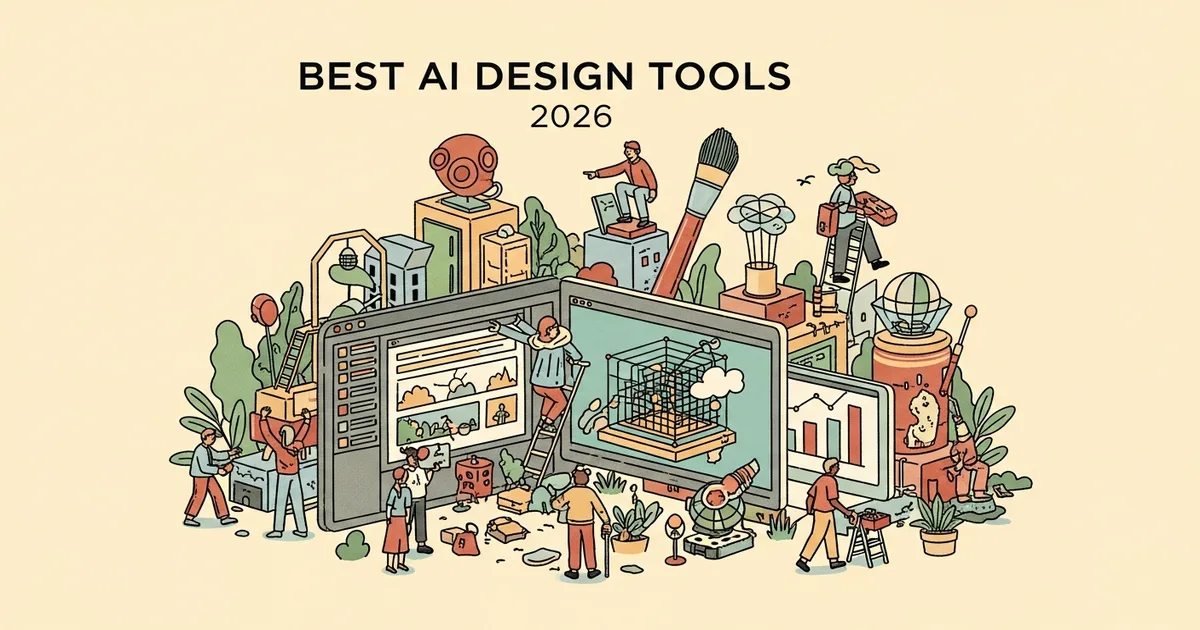
Whether you design product interfaces, produce marketing collateral, or build websites without a dedicated design team, AI design tools have moved from experimental features to daily-use infrastructure in 2026. These platforms now handle core design tasks — from generating UI layouts and editing images to building responsive websites and converting text into diagrams — with results that are production-ready or close to it. Below, we evaluate the five best AI design tools currently available, covering what each one does, who benefits most from it, what it costs, and how it stacks up against the alternatives.
What Are Ai Design Tools?
AI design tools are software platforms that apply machine learning to visual design workflows, automating tasks such as layout generation, image editing, UI prototyping, and asset creation. They range from comprehensive design environments where AI features are embedded into existing professional tools to specialized single-purpose utilities that convert text, code, or data into specific visual formats like diagrams or complete web pages.
What distinguishes this category from traditional design software is the shift from manual construction to guided generation: users describe what they need, and the tool produces an editable starting point that can be refined rather than built from scratch. This approach lowers the skill barrier for non-designers while accelerating output for experienced design professionals.
Key Facts
| Category | Details |
|---|---|
| Purpose | Automate and assist with visual design tasks including UI generation, web design, prototyping, and infographic creation |
| Common Users | Product designers, UX teams, marketers, content creators, startup founders, developers |
| Pricing Range | Free to $14.99/mo for entry-level paid plans |
| Free Options | Figma AI and Canva AI offer free tiers; Google Stitch is entirely free |
| Primary Use Cases | UI/UX design, marketing collateral, responsive websites, rapid prototyping, data visualization |
| Key 2026 Trend | Text-to-design and AI-native workflows replacing template-driven approaches |
| Typical Learning Curve | Low to moderate, depending on the platform’s scope and intended audience |
Top Ai Design Tools
Figma AI is a suite of AI features built directly into Figma, the collaborative design platform that dominates product and interface design workflows at companies ranging from early-stage startups to large enterprises. Its capabilities include generating complete UI layouts from text prompts, converting production code into editable Figma layers through code-to-canvas functionality, and delivering context-aware design suggestions that align with your team’s existing component library and design tokens. Figma AI is built for product designers, UX engineers, and design system maintainers who want AI augmentation inside the tool they already use for production work rather than routing output through a separate application. A free tier covers core Figma functionality with limited AI access, while paid plans starting at $12 per month unlock the full AI feature set — and the primary differentiator is that AI-generated output lands directly on your production canvas with no export or conversion step required.
Canva AI layers intelligent design features across Canva’s extensive template library and intuitive drag-and-drop editor, making it the most approachable option on this list for users without formal design training or experience with professional tools. Key AI features include Magic Design, which generates complete layouts from a text prompt or uploaded image; Magic Edit, which enables natural-language image manipulation; and tools that transform static uploaded visuals into fully editable, layered compositions that can be customized further. The platform supports an unusually wide range of output formats — social media graphics, presentations, documents, print materials, short-form video, and branded templates — all produced and managed within a single workspace. Canva’s free tier includes limited AI functionality, with the full suite available through Canva Pro at $14.99 per month, making it the strongest option for marketing teams, social media managers, and small business operators who need high-volume visual content production across multiple channels.
Framer AI is a web design and publishing platform that generates responsive, deployment-ready websites from natural language descriptions, eliminating the traditional gap between designing a page and getting it live on the internet. Users provide a text description of the site they need, and Framer AI produces a fully structured page with real content sections, working navigation, responsive breakpoints for mobile and desktop, and coherent visual styling that can be published to a custom domain immediately or refined in Framer’s visual editor. The tool is designed for freelance designers, digital agencies, and startup teams that need to ship marketing pages, landing pages, and portfolio sites quickly without writing front-end code or managing hosting infrastructure. Paid plans start at $5 per month, the lowest entry price among the tools covered here, though there is no free tier for publishing live sites — and the standout feature is end-to-end speed, as a functional website can move from a text prompt to a live public URL in minutes.
Google Stitch is a free AI-powered design tool from Google focused on generating UI prototypes and visual design assets, aimed at teams that need to explore and validate interface concepts quickly before committing to full design production. It accepts both text descriptions and reference images as input and generates structured, component-based UI layouts that follow Google’s Material Design guidelines, which means the output integrates naturally with Android development workflows and Google’s broader design and engineering ecosystem. Stitch is best suited for product managers who need to communicate interface ideas to engineering teams, developers who want to prototype screens without learning a design tool, and early-stage startups that need to validate concepts before they can justify hiring a designer. The tool is entirely free with no paid tiers, making it the zero-risk starting point for teams exploring AI-assisted design — and its differentiator is the combination of no cost and deep alignment with Material Design, which is particularly valuable for teams building Android or web applications on Google’s stack.
Napkin AI occupies a distinct niche in the AI design space: it transforms written text into professional diagrams, flowcharts, comparison charts, timelines, and infographics, handling a category of visual content that general-purpose design tools typically do not address well. Users paste existing written content — a blog post, report section, internal documentation, or meeting notes — and Napkin AI analyzes the textual structure to automatically generate relevant visual representations that can be downloaded, embedded, or shared directly. The tool is designed for content marketers who repurpose written articles as visual social assets, consultants who turn strategy documents into presentation graphics, and educators who convert lesson materials into visual learning aids. Napkin AI follows a freemium pricing model, though specific pricing for its premium tier is not publicly listed at the time of writing — and its core differentiator is singular focus on text-to-visual conversion, delivering results with significantly less manual effort than attempting the same task in a general-purpose design platform.
How to Choose
The most important factor when selecting an AI design tool is alignment between the tool’s primary strength and your most frequent design task. If you spend most of your time on product interfaces and your team already works in Figma, adding Figma AI keeps everything in one environment and avoids the overhead of moving designs between platforms. If your output is primarily marketing content across social media, email, and print, Canva AI offers the broadest format coverage and the lowest learning curve for non-designers.
For teams focused on getting websites live quickly, Framer AI provides the most direct path from concept to published page without requiring front-end development skills. Budget is another significant consideration: Google Stitch is entirely free, which makes it the logical entry point for prototyping and concept validation, particularly for teams that do not yet have a design tool budget. Napkin AI addresses a workflow that other tools on this list largely ignore — converting dense written content into visual formats — so it works best as a complement to a primary design platform rather than a replacement for one.
Comparison Table
| Tool | Best For | Free Tier | Starting Price | Standout Feature |
|---|---|---|---|---|
| Figma AI | Product and UI design teams | Yes | $12/mo | AI-powered UI generation inside Figma’s native design environment |
| Canva AI | Marketers and non-designers | Yes | $14.99/mo | Widest range of visual content formats in a single platform |
| Framer AI | Rapid website creation | No | $5/mo | Text-to-live-website publishing in minutes |
| Google Stitch | UI prototyping and exploration | Entirely free | Free | Zero-cost prototype generation with Material Design alignment |
| Napkin AI | Text-to-visual content | No | Not publicly listed | Converts written content into diagrams and infographics automatically |
Who Needs Ai Design Tools?
Product designers and UX teams use AI design tools to accelerate layout creation, generate component variations, and prototype interface concepts faster than manual methods allow. Marketers, social media managers, and content creators benefit from tools that produce professional-quality graphics, presentations, and video assets at scale without requiring specialized design skills or expensive software licenses.
Developers and product managers use these tools to communicate interface ideas visually without depending on a designer’s availability, while startup founders and solo operators rely on them to handle design work that would otherwise require hiring a contractor or an in-house team member. Consultants and educators find particular value in specialized tools like Napkin AI that convert existing written material into visual formats suitable for client presentations and classroom materials.
Bottom Line
Figma AI is the best overall choice for product teams because it brings AI capabilities directly into the design tool most teams already use for production interface work, with no workflow disruption. Google Stitch is the best free option for rapid UI prototyping, especially for teams building within Google’s Material Design ecosystem. Canva AI is the top pick for marketers and non-designers who need to produce a high volume of varied visual content without steep learning curves or premium pricing.
Framer AI and Napkin AI round out the list as strong choices for specific use cases: fast website publishing and text-to-visual conversion, respectively. No single platform covers every design scenario, so the practical approach for most teams is to anchor on the tool that matches their highest-frequency task and add specialized tools where gaps arise.