- Figma AI integrates 13 AI-powered tools directly into the design canvas, including first-draft generation, image creation, visual search, and automated layer renaming.
- AI features run on Gemini 3.0 Pro and OpenAI GPT Image 1, available on all paid plans through a shared credit system with no separate subscription required.
- Figma Make and the MCP server allow AI agents to write directly to Figma files, creating assets that respect existing design systems.
- Output quality remains a starting point rather than production-ready, and all AI-generated content requires manual verification before use.
What Figma AI Offers
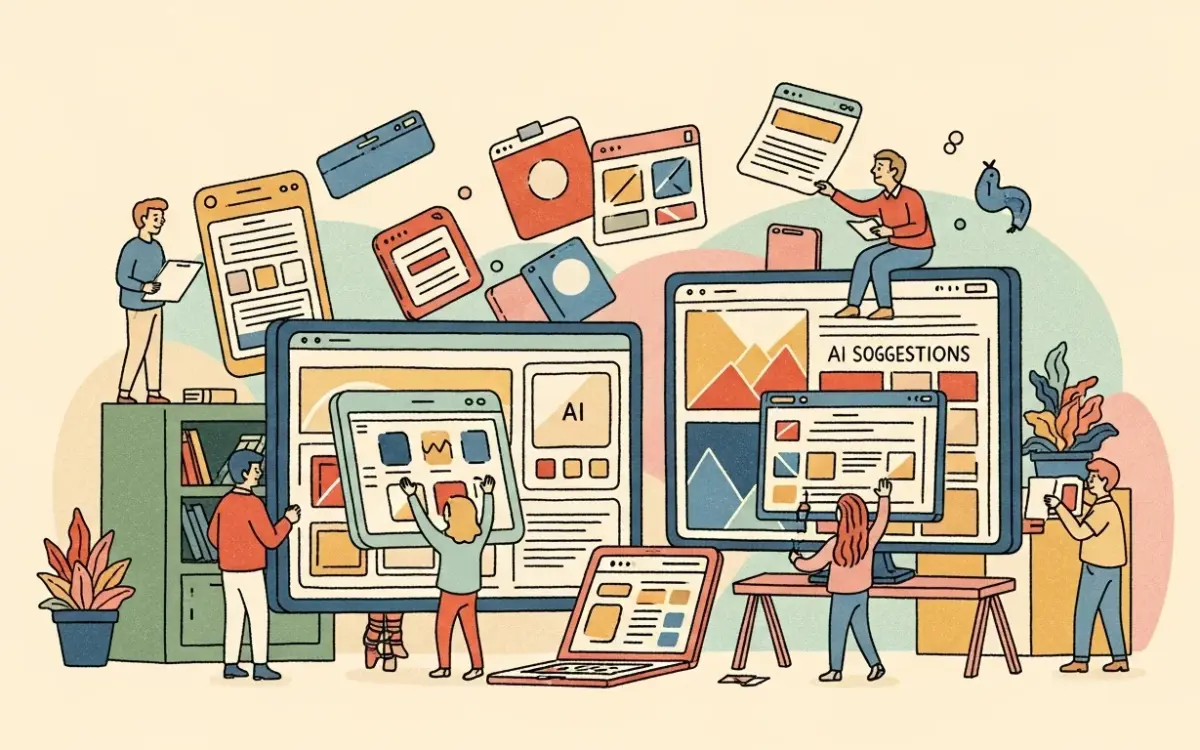
Figma AI bundles 13 AI-powered tools into the design application used by an estimated 4 million designers worldwide. The feature set covers three categories: design generation, image manipulation, and content management. All tools are accessible through the Actions menu in the Figma Design toolbar.
First Draft transforms text prompts into editable UI layouts on the Figma canvas. The tool generates components that reference the user’s existing design system variables, styles, and tokens. Visual search lets designers find specific patterns or components across large project files by describing what they need or uploading a screenshot. The feature works across teams, organizations, and Figma Community files.
Image tools include generation, background removal, resolution boosting, image expansion beyond original borders, object isolation and erasure, and raster-to-vector conversion. These run on Gemini 3.0 Pro and OpenAI’s GPT Image 1. Text tools handle content replacement, rewriting, translation, shortening, and context-aware auto-completion directly within design mocks.
Why It Matters
Figma holds a dominant position in collaborative UI design. Adding AI capabilities directly to the canvas means designers do not need to switch between separate AI tools and their primary workspace. The integration matters because AI-generated outputs inherit the project’s design system rather than producing generic components that need to be rebuilt from scratch.
The Figma Make feature and the MCP (Model Context Protocol) server represent a more significant shift. AI agents can now read a design library and write directly to Figma files, creating and modifying real design assets using components, variables, and tokens. This moves Figma from a tool designers use manually to a platform that AI agents can operate within programmatically. Dylan Field, Figma’s CEO, has positioned the company’s AI strategy around augmenting designers rather than replacing them.
Technical Details
The AI tools operate on a shared credit system that spans multiple Figma products. Admins can purchase additional credits, with subscription billing for regular users and pay-as-you-go options available on Professional plans starting in May 2026. The credit-based model means costs scale with usage rather than being fixed per seat.
Figma’s own documentation includes a notable caveat: “AI outputs may be misleading or wrong.” Users are instructed to verify all AI-generated content independently. Administrators can disable AI features at the organizational level, providing control for teams with data sensitivity requirements or compliance constraints.
Automated layer renaming applies meaningful names in bulk across file layers, solving a persistent organization problem in large design files. The replace content feature substitutes placeholder text with realistic, unique content, reducing reliance on lorem ipsum during prototyping. The add interactions tool converts static designs into interactive prototypes automatically, eliminating manual connection of frames and triggers.
Who’s Affected
AI features require a paid Figma plan and a Full seat. The tools are available on Professional ($15/editor/month), Organization ($45/editor/month), and Enterprise ($75/editor/month) tiers. Free plan users do not have access to any AI capabilities.
The MCP server integration is relevant for development teams exploring AI-assisted design workflows and design-to-code pipelines. Teams already using Figma benefit from zero-friction adoption since the features are embedded in their existing tool. Teams on competing platforms like Sketch or Adobe XD would need to migrate to Figma to access these capabilities, which represents a significant switching cost.
What’s Next
Figma is rolling out AI-assisted site builders, expanded asset tools, improved vector tools, and refined design-to-developer handoff workflows. The trajectory positions Figma as a foundation for multi-channel product design rather than a single-purpose UI tool.
The primary limitation remains output quality. AI-generated UI serves as a starting point that always requires refinement. It cannot produce production-ready designs without designer intervention, and complex layouts with custom interactions still need to be built manually. The credit system also introduces a consumption-based cost layer that teams will need to monitor as usage scales across large organizations. For teams already on Figma, the AI features are a practical addition that reduces repetitive work. They will not, on their own, convince teams to switch from other design tools.
Related Reading
- Canva AI Review 2026: Design Platform with Integrated AI Across Every Tool
- Adobe Firefly Review 2026: Commercially Safe AI Image Generation Inside Creative Cloud
- Writesonic Review 2026: Solid Content Creation, Overpriced AI Search Features
- Jasper Review 2026: Solid AI Writing Tool with Agent Features
- Beautiful.ai Review 2026: AI Presentation Software That Enforces Good Design