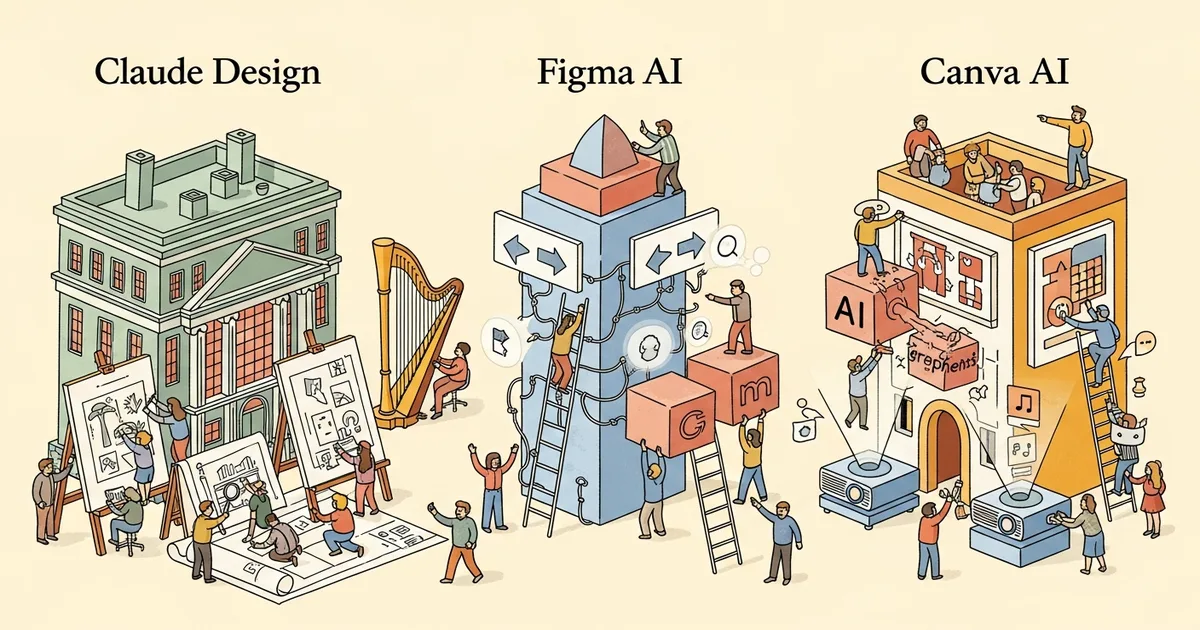
Anthropic’s Claude Design — an AI-native document and marketing asset generator built on Claude Opus 4.7 — launched on April 17, 2026, and immediately sent Figma’s stock down 7%. The central question for every designer, marketer, and product manager: does it beat Figma AI and Canva AI 2.0, or is this a well-marketed wrapper that impresses in demos and disappoints in production?
The direct answer: Claude Design wins for developers and PMs generating polished decks from live codebases. Figma AI remains the professional designer’s tool. Canva AI 2.0 dominates for marketers who need volume. None of them does everything well, and the right choice depends entirely on output type and user role.
The Three Tools at a Glance
Claude Design is Anthropic’s newest product — a document and marketing asset generator that reads your codebase, infers your design system, and produces pitch decks, one-pagers, and marketing collateral directly from your repository. Outputs export to Canva, PDF, PPTX, HTML, or Claude Code. It is not a design tool in the traditional sense. It generates polished documents, not UI components or social graphics.
Figma AI is the embedded intelligence layer inside Figma’s existing design platform, complemented by Figma Make — its prompt-to-design interface. Figma AI can auto-complete layouts, suggest components, and generate UI from text prompts. It targets professional designers who already live inside Figma and want AI to accelerate their existing workflow rather than replace it.
Canva AI 2.0 launched earlier in 2026 and positions explicitly in the social graphics and marketing collateral space. Canva CEO Melanie Perkins publicly called Claude Design “complementary” — a measured statement that acknowledges both tools serve different audiences without meaningful overlap. With 190 million monthly users, Canva’s volume-first positioning is strategically distinct from either competitor.
Head-to-Head: Claude Design vs Figma AI vs Canva AI Full Comparison
| Feature | Claude Design | Figma AI | Canva AI 2.0 |
|---|---|---|---|
| Core output | Decks, one-pagers, marketing docs | UI/UX designs, interactive prototypes | Social graphics, presentations, marketing sets |
| Design system auto-build | Yes — reads codebase, infers tokens | Partial — imports existing Figma libraries | No — brand kit only, manual input |
| Prompt-to-output speed | ~45 seconds for full deck | ~2–3 minutes per screen | ~30 seconds for social graphic set |
| Editable output | Yes (Canva, PPTX, HTML) | Fully editable in Figma as layers | Fully editable in Canva |
| Export formats | Canva, PDF, PPTX, HTML, Claude Code | PNG, SVG, PDF, CSS, React | PNG, JPG, PDF, MP4, GIF |
| Base pricing | Included in Claude Pro ($20/mo) | Free starter; Pro $15/mo per editor | Free tier; Pro $15/mo |
| Collaboration | Link sharing only (April 2026) | Real-time multiplayer, comments | Real-time multiplayer, comments |
| Brand consistency | High — codebase-derived tokens | High — Figma component libraries | Medium — manual brand kit |
| Iteration method | Natural language follow-up prompts | Direct layer manipulation + AI prompts | Template swapping + AI prompts |
| Enterprise lock | Custom design systems, API access | Advanced prototyping, Dev Mode, SSO | Brand approval workflows, compliance |
| AI model | Claude Opus 4.7 | Proprietary + third-party models | Proprietary + third-party models |
| Primary target user | PMs, founders, developers | UI/UX designers, product teams | Marketers, content creators |
| Integration ecosystem | Claude Code, GitHub, Notion (beta) | Jira, Slack, GitHub, Dev Mode | HubSpot, Mailchimp, social platforms |
How Each Tool Creates Design From a Prompt
Claude Design’s prompt-to-output pipeline is structurally different from its competitors. Feed it a text description — or more powerfully, point it at a GitHub repository — and it generates a complete multi-slide deck in approximately 45 seconds. The output reflects your actual codebase’s color tokens, typography scale, and component naming conventions, not generic AI aesthetics that require a restyle before any deck is usable.
The prompt interface accepts natural language follow-ups. Instructions like “make slide 3 more data-forward” or “replace the hero section with a gradient matching our primary palette” are valid inputs across iterations. This conversational loop is where Claude Opus 4.7’s underlying model quality becomes tangible — the model understands design intent at a conceptual level, not just visual description at a surface level.
Figma AI operates as a design accelerator rather than a document generator. Figma Make generates screen-level UI from text prompts and deposits editable layers directly into an existing Figma file. Per-screen generation runs 2–3 minutes and quality scales with prompt specificity — vague prompts produce generic layouts, detailed prompts with component constraints produce work closer to production quality. For wireframing and early interface exploration, it remains best-in-class.
Canva AI 2.0 optimizes for speed and volume. Its prompt interface generates social graphic sets — multiple sizes and formats simultaneously — in under 30 seconds. Canva’s template library provides a structural floor that prevents genuinely bad AI output, but also caps truly differentiated output. For marketers running high-volume campaigns across multiple formats, this consistency-speed tradeoff is the correct one.
Design System Handling: Claude Design’s Killer Feature
The most technically substantive capability in this comparison is Claude Design’s codebase reading. Direct it at a React, Vue, or Next.js repository and it extracts design tokens — color scales, spacing, typography, border radii — from CSS variables, Tailwind config files, or theme objects. Generated decks automatically reflect your product’s actual visual language without any manual brand kit configuration.
This matters because brand consistency in marketing materials is a persistent operational problem. Every design tool offers a brand kit. None of them automatically pulls that brand from the codebase where it’s actually maintained and updated. Claude Design does. For engineering-led companies, this eliminates a category of design-ops work that typically requires either a dedicated role or repeated manual syncing between code and design files.
Figma manages design systems through component libraries and design token management — powerful tools, but manually maintained. Teams run parallel sources of truth: the Figma library and the codebase. Figma’s Dev Mode partially bridges this gap with code inspection, but that is a one-directional bridge (design to code) with no upstream sync. Token drift between Figma and the product’s actual design system is a documented industry problem, not a niche edge case.
Canva’s brand kit accepts logos, fonts, and hex colors — appropriate for its target audience of marketers, not engineers. If your brand lives in a design token file on GitHub, Canva has no mechanism to import it. The workflow remains: update the codebase, manually update Canva, hope someone remembers to do both. Claude Design eliminates that step entirely.
This codebase-grounded approach connects to a broader pattern in Anthropic’s product development strategy, which MegaOne AI has tracked closely — the company consistently builds tools that integrate at the engineering layer, not just the surface layer.
Canva CEO Endorsement vs. Figma’s Stock Drop
Market reaction to Claude Design’s April 17 launch divided sharply along competitive lines. Figma stock fell 7% within 48 hours of the announcement — a significant single-stock move that reflects investor concern about Claude Design’s overlap with Figma’s expanding ambitions beyond core design tooling. Figma had been positioning itself as the operating system for product teams broadly, not just for designers. Claude Design challenges that positioning directly by targeting PMs and founders with document-generation workflows that bypass the design team entirely.
The concurrent exit of Mike Krieger from Anthropic’s board added additional scrutiny to the launch week. Krieger — Instagram co-founder and former Chief Product Officer at Canva — had represented a bridge between Anthropic and the design tool ecosystem. His departure raises questions about how Anthropic’s design tool ambitions will intersect with existing partnerships, though Anthropic has not publicly commented on the circumstances or timing.
Canva CEO Melanie Perkins took a strategically different approach than Figma. Her public statement framed Claude Design as “complementary,” noting that Canva’s 190 million monthly users primarily create social graphics and marketing materials through a workflow Claude Design doesn’t target. The assessment is accurate and the positioning is astute: Perkins declined to fight a competitive battle she doesn’t need to engage. Canva’s free-tier strength and template volume sit in a lane Claude Design doesn’t occupy.
Figma’s situation is more structurally complicated. The company had been expanding aggressively into AI-assisted product management workflows — territory Claude Design now occupies with a more capable AI model and a technical integration story Figma can’t currently match. Figma remains the superior tool for professional UI/UX design work. But for the broader “product team communication” market, the competitive calculus just shifted against them. The same disruption dynamic has played out repeatedly across the AI tooling market, as our AI video tool comparison documented — new entrants don’t replace incumbents, they carve off the adjacent use cases incumbents were planning to grow into.
Pricing: What You Actually Pay
Claude Design is included in Claude Pro at $20/month — zero incremental cost for the 10+ million existing Claude Pro subscribers. Enterprise pricing for custom design system integrations and bulk API access has not been publicly disclosed as of April 21, 2026.
Figma pricing tiers:
- Starter: Free — limited projects, basic AI features included
- Professional: $15/month per editor — full AI suite, unlimited projects, version history
- Organization: $45/month per editor — SSO, design system management, advanced analytics
- Enterprise: Custom — dedicated support, advanced security controls, compliance features
Canva pricing tiers:
- Free: Generous — most Canva AI features accessible, 5GB storage
- Pro: $15/month — brand kit, background removal, premium template library
- Teams: $10/month per person (3+ users) — approval workflows, brand controls, shared folders
- Enterprise: Custom — SSO, advanced compliance, unlimited storage, dedicated CSM
For individuals: Claude Pro at $20/month is the most cost-efficient entry point if you also use Claude for writing, coding, or analysis — design generation is a free addition to an existing workflow. For pure design work, Figma Professional at $15/month remains industry standard. Canva’s free tier is genuinely capable for marketing use cases — a competitive advantage that Figma, which gates most AI features behind the paid tier, cannot match at entry level.
Best For: Matching Tool to Role
Professional UI/UX designers: Figma AI, without qualification. Claude Design does not generate interactive prototypes, UI components, or design-system-compliant screens. Figma’s component ecosystem, auto-layout, and developer handoff remain the industry standard. Figma Make accelerates wireframing and concept work in ways Claude Design doesn’t address.
Marketers and content creators: Canva AI 2.0. Volume, speed, and a free tier that covers most marketing production use cases. For social content at scale across multiple formats, no current tool competes with Canva’s template depth and multi-format generation speed.
Product managers: Claude Design. Generating a polished investor update, PRD one-pager, or roadmap deck directly from a product repository — without needing a designer or wrestling with Canva templates — is a concrete workflow upgrade. For internal communication and stakeholder alignment, Claude Design produces output quality that previously required either design team time or significant template customization.
Founders and startup teams: Claude Design for investor materials and internal communication; Canva AI 2.0 for external marketing at scale. The combination of Claude Pro ($20/month) plus Canva free tier covers nearly every design need a pre-Series-A team encounters. MegaOne AI tracks 139+ AI tools across 17 categories, and the Claude Pro + Canva pairing represents one of the strongest cost-per-capability ratios in the current market.
Developers: Claude Design, specifically for its Claude Code integration and codebase-derived token extraction. The ability to pass design output directly back into a development workflow — HTML or Claude Code exports that reflect actual production design tokens — is a capability neither Figma nor Canva provides to engineers building and shipping product.
What’s Locked Behind Enterprise Tiers
Across all three tools, enterprise tiers gate governance and collaboration features rather than core AI generation capabilities. Claude Design’s enterprise plan (pricing undisclosed) adds custom design system pipeline configurations, bulk generation via API, and admin controls for team-wide brand enforcement. Figma Enterprise locks advanced prototyping features, dedicated support, and SSO. Canva Enterprise adds brand approval workflows and compliance controls for regulated industries.
The more significant current limitation: Claude Design’s collaboration model is restricted to link sharing as of launch. There is no real-time multiplayer editing, no comment threads, and no version history comparable to Figma or Canva. For teams that co-edit design work synchronously — the standard workflow in any design-forward organization — this is a structural gap. Anthropic has not published a roadmap for collaborative features, and the gap is large enough that it currently limits Claude Design’s applicability for design-team workflows entirely.
Verdict: Three Tools, Three Different Jobs
Claude Design does not replace Figma or Canva. It creates a distinct category: AI-native document generation for technical teams who need polished output without design team dependencies. The codebase integration is genuinely novel, the output quality reflects Claude Opus 4.7’s benchmark-leading performance, and the pricing is zero incremental cost for existing Claude Pro subscribers. That combination makes it immediately useful for a large audience that neither Figma nor Canva served well.
Figma’s 7% stock drop is a market overreaction to the immediate competitive threat. Professional designers are not moving away from Figma because Claude Design launched — the tools don’t overlap enough for that. But Figma’s expansion into AI-assisted product team communication just got substantially harder. If Claude Design adds real-time collaboration and structured iteration tooling in the next 12 months, that threat becomes structural rather than adjacent.
For now: Claude Design for decks and documents, Figma AI for interface design, Canva AI 2.0 for marketing volume. The AI design tool market is one of the most active segments MegaOne AI currently tracks — the rankings in this three-way comparison will shift again before 2026 ends, and the next move belongs to Figma.
Frequently Asked Questions
Is Claude Design free to use?
Claude Design is included with a Claude Pro subscription at $20/month. There is no additional charge for access within the Pro tier. Enterprise API access and custom design system integrations carry separate pricing not publicly disclosed as of April 2026.
Can Claude Design replace Figma for UI design?
No. Claude Design generates presentation documents, one-pagers, and marketing collateral — not interactive UI prototypes or component libraries. Professional interface design, developer handoff, and interactive prototyping remain Figma’s core competency. Claude Design does not produce Figma-compatible output formats.
How does Claude Design read a codebase?
Claude Design accepts a GitHub repository URL or direct file uploads and extracts design tokens — colors, typography, spacing scales — from CSS variables, Tailwind configuration files, or theme objects. Claude Opus 4.7’s code comprehension infers the design system without requiring a structured token export or manual brand kit setup.
Why did Figma stock drop after Claude Design launched?
Figma stock fell approximately 7% following the April 17, 2026 launch. Analysts interpreted Claude Design as a competitive threat to Figma’s expanding ambitions beyond professional design tooling — specifically its push into product team communication and AI-assisted document generation. Figma’s core UI design business faces less direct competition from Claude Design’s current feature set.
What did Canva’s CEO say about Claude Design?
Canva CEO Melanie Perkins described Claude Design as “complementary,” noting that Canva’s 190 million monthly users primarily create social graphics and marketing materials — a workflow Claude Design does not target. The statement positions Canva as serving a distinct audience rather than competing directly with Anthropic’s product.
Is Claude Design better than Canva AI for presentations?
For technical teams and product-led companies, yes — Claude Design’s codebase integration and Opus 4.7 content quality produce more polished, on-brand decks from less manual effort. For non-technical users or marketers without developer resources, Canva AI 2.0’s template library and free tier make it the more accessible choice for most presentation workflows.