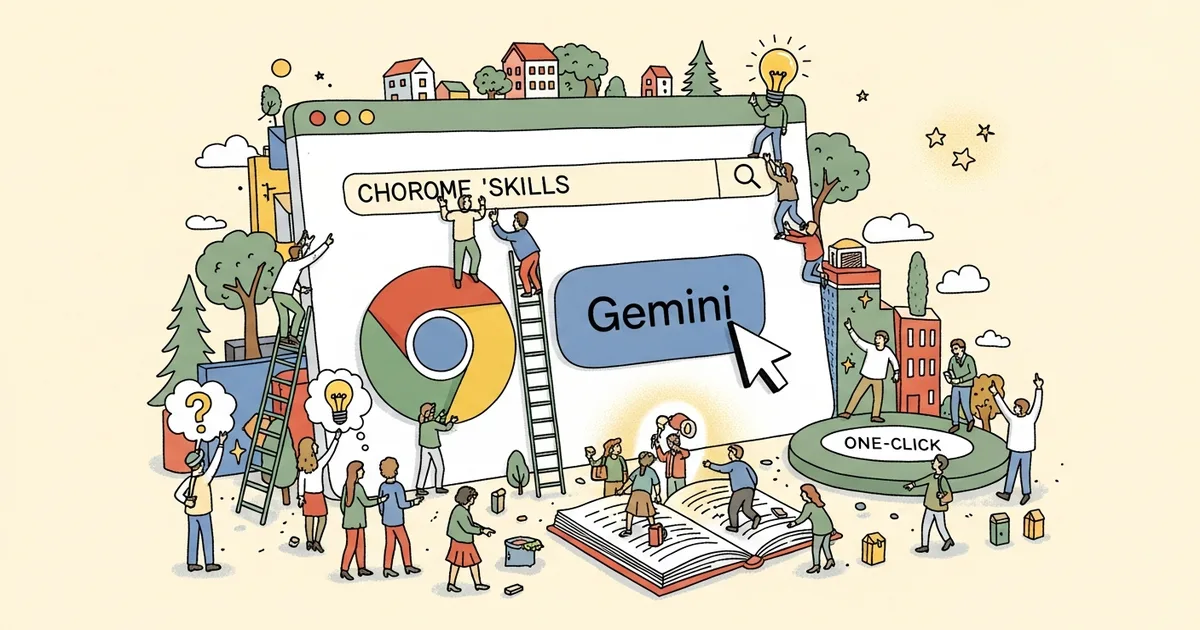
Google launched Chrome Skills on April 14, 2026, embedding Gemini directly into the browser as reusable, one-click AI workflows. The feature lets users save any Gemini prompt as a named Skill and re-run it across any webpage using a forward-slash command — no new tab, no copy-paste, no context-switching. Chrome holds roughly 65% of global desktop browser market share, according to StatCounter, which means Skills reaches more users on day one than the combined installed bases of every competing AI browser currently in development.
What Chrome Skills Actually Does
Skills turns Gemini from a standalone chatbot into a browser-native workflow layer. A Skill is a saved prompt template that fires against whatever content is on your screen — a product page, a PDF, an email draft, a recipe. Define it once and it runs on any content with a single keystroke.
The mechanics are direct: Skills live in the Gemini side panel, sync automatically across all signed-in Chrome desktop instances, and can operate on multiple open tabs simultaneously. A Skill created on a work Mac appears on a home Windows PC within seconds of saving.
The April 14–15 launch is restricted to US English users on Mac, Windows, and ChromeOS. Google has not published an international rollout timeline.
The Forward-Slash Trigger and Plus Button
Activating a Skill works two ways. In the Gemini side panel, type a forward slash (/) to pull up the full Skills list and select one by name. The plus (+) button in the panel surfaces the same list visually. Both methods require zero additional text input beyond selection — the Skill executes immediately against the current page content.
The slash-command pattern mirrors interaction models from Notion, Slack, and Linear, making it instantly familiar to knowledge workers. Google extends the pattern with multi-tab capability: a single Skill invocation can run across several open tabs simultaneously, not just the active page.
The Built-In Skills Library
Chrome launches with a prebuilt Skills library covering four practical categories:
- Recipe substitutions — scan an ingredient list and surface dietary swap options
- Product spec comparisons — pull technical specifications from multiple product pages and generate a comparison table
- PDF scanning — extract key data points, summaries, or action items from any PDF opened in Chrome
- Budgeting — analyze transaction tables, checkout summaries, or expense pages
The prebuilt library establishes baseline utility without requiring any prompt engineering from the user. Custom Skills are saved alongside them using any Gemini prompt that produces repeatable, useful output on a given content type. Google has not published a cap on how many Skills a user can save.
Multi-Tab Execution: The Key Differentiator
The multi-tab capability is what separates Skills from standard Gemini prompting. A single Skill invocation can process content from several open tabs simultaneously — running a product comparison Skill across five open e-commerce pages rather than repeating it one tab at a time.
MegaOne AI tracks 139+ AI tools across 17 categories, and multi-source synthesis has been a consistent demand signal in productivity, research, and content tooling since late 2024. Skills is the first browser-native implementation of that capability tied directly to user-defined prompts rather than a fixed feature set.
For competitive analysis, vendor evaluation, or sourcing research, this execution model can compress workflows that previously required manual copy-paste across tabs into a single confirmed action.
The Confirmation Guardrail
Google built one explicit safety boundary into Skills: any action that would send email or add calendar events requires explicit user confirmation before executing. The confirmation step is non-negotiable — Skills cannot silently dispatch emails or schedule meetings.
This draws a clear operational line between read-and-analyze tasks (fully automated) and write-and-send tasks (always confirmed). As agentic AI systems expand into real-world action-taking, that confirmation boundary defines where the user stays in the loop. Google is betting that users will accept autonomous analysis but demand control over outbound actions — at least in this first iteration.
Chrome Skills and the Agentic Browser War
Chrome Skills arrives under direct competitive pressure from three fronts. OpenAI is building Atlas, a dedicated AI-first browser. Perplexity is developing Comet, a search-native browser. The Browser Company’s Dia is designed from scratch around AI interaction — built by the team that created Arc, now betting entirely on agentic browsing.
All four products are converging on the same thesis: the browser should function as an active AI layer on the web, not a passive rendering engine. The race accelerated sharply after AI began integrating into the most mundane everyday consumer applications, demonstrating that users accept ambient AI across all surfaces when it reduces friction rather than adds it.
Google’s structural advantage is distribution. At 65% desktop market share, a Skills rollout to even 10% of Chrome’s active user base would exceed the total addressable audiences of Atlas, Comet, and Dia combined at launch. The counterargument: Chrome’s legacy architecture and web compatibility obligations may constrain how aggressively Google pursues agentic features without breaking rendering for the other 90%.
The stakes extend beyond productivity. Browser-level AI that reads, analyzes, and acts on arbitrary web content is a platform-layer claim touching advertising, search, and enterprise software simultaneously. If Skills graduates from prompt templates to autonomous multi-step workflows, it steps directly into the broader debate about where human oversight ends and AI autonomy begins.
How to Save Your First Chrome Skill
For US English users on Chrome desktop, setup takes under three minutes:
- Open the Gemini panel — click the Gemini icon in the Chrome toolbar or sidebar.
- Navigate to a relevant page — go to a product listing, article, PDF, or any content type you want the Skill to operate on.
- Write your prompt — be specific. “Extract the key technical specifications from this product page as a bulleted list” outperforms “summarize this” every time.
- Run the prompt once — verify the output is useful before committing to a save.
- Click “Save as Skill” — the option appears after a successful prompt response in the panel.
- Name it descriptively — “Product specs extractor” or “Article key points” beats “My skill 1” when you’re scanning the slash-command list at speed.
- Test with the forward slash — in the Gemini panel, type
/and select your new Skill from the list. Confirm it runs correctly against the current page.
The Skill syncs to all signed-in Chrome desktops within seconds. Any Skill that would send email or schedule a calendar event will prompt for confirmation before executing.
What Comes Next
Chrome Skills is US English-only at launch. Google’s pattern with Gemini feature rollouts — Gemini in Gmail launched US-only in 2023 and took several months to reach full international availability — suggests a multi-month wait for non-US markets, though no timeline has been confirmed.
The more consequential near-term question is mobile. The majority of global web traffic originates from mobile devices, and Chrome for Android and iOS are not included in the Skills launch. A forward-slash trigger maps poorly to mobile interaction patterns, but the Gemini infrastructure is already present in mobile Chrome. Google will need a different activation model — likely voice or long-press — to close the gap.
Chrome Skills is available now for US English users on desktop. Open the Gemini panel, write a prompt that returns useful output on your most repeated research or analysis task, and save it — the return compounds with every reuse.